



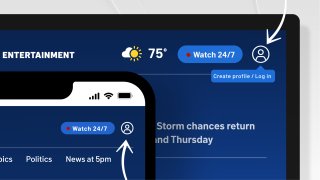
Screenshots of a laptop and phone show where to find the new profile icon.
Find an article or video you love but don’t have time right now? NBC 5 DFW has a new solution for that.
You can now create a free account on NBCDFW.com. With an NBCUniversal Profile, you can save articles and videos to come back to them later.
Watch NBC 5 free wherever you are


You can create an account on your desktop, phone or in the NBCDFW app.
On desktop or mobile web, click the profile icon in the top right corner at any time and select “Create profile / Log in.”
Create a free account with NBC 5 DFW to save articles and videos.

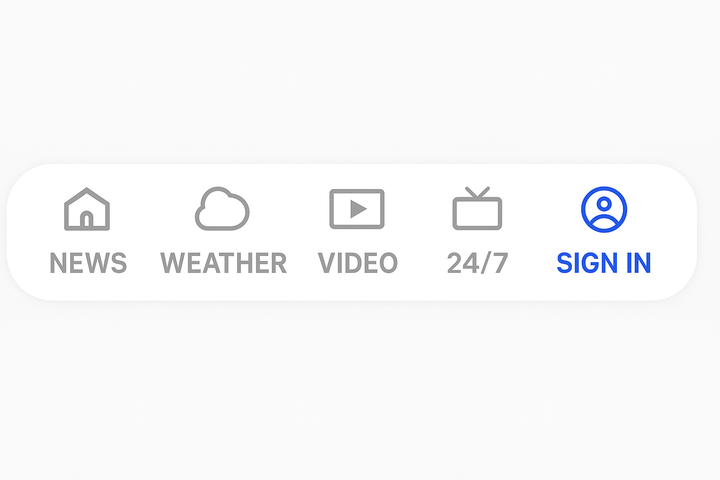
To create an account on the NBCDFW app, make sure you have the latest app version. Then, in the bottom right corner, tap “Sign In.” You can also click the circle with the bookmark icon while reading or watching content.
How to create an account with NBC 5 DFW
You have options when creating an account. Simply enter your email address, or sign in using an existing Google account or Apple account. If you enter your email address, we’ll ask for your name, birth year and a password.
Already have an account but forgot the password? No problem. Simply enter your email and sign in using a one-time code sent to your email.
When inside an article or video, look for the bookmark button near the top. If you click the bookmark, we’ll save that content for you to read or watch later.


Where to find saved content from NBC 5 DFW
Finding that content later is as simple as clicking the “Dashboard” button.
But saving articles and videos isn’t the only benefit.
Creating an account will also give you an easier way to manage your newsletters.
Subscribe to your favorite local newsletters with a click of a button. With the login, you can also browse newsletters from across NBCUniversal, including TODAY, NBC Sports, Bravo and more.
Stay ahead with DFW’s local news: Create your free account now.